Let's Start with the Configuration Tool
From Download Page upload the installation package and open it as an administrator. Darra PROFINET IO Device Configuration Tool.
Equipment
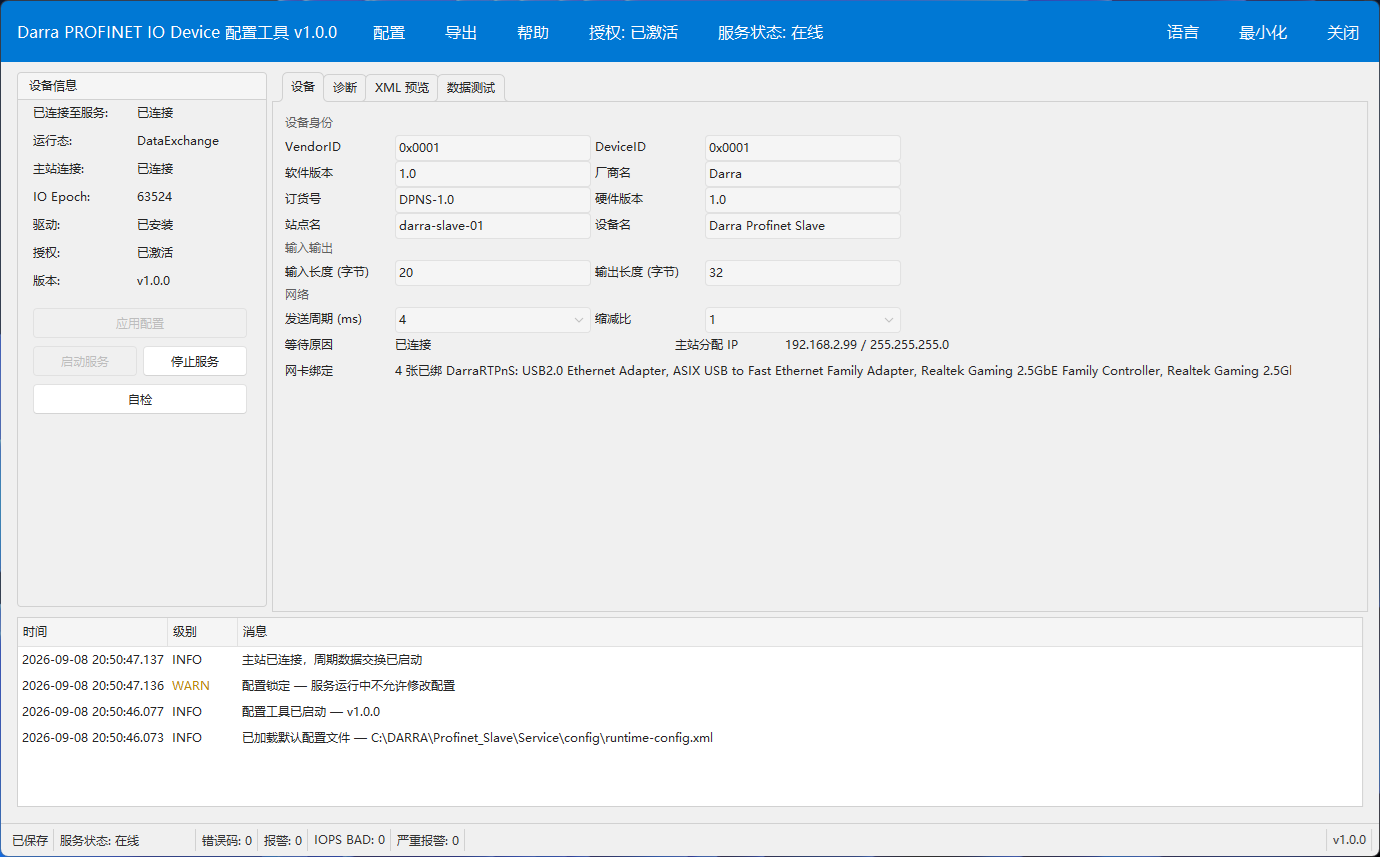
The "Devices" page has three sections:
- Device Identity: Vendor ID, device identity, Site Name, station name, Order Number, Manufacturer Name, Software and Hardware Versions
- Input and Output: Input length, output length (bytes)
- Internet: Transmission Interval, Reduction Ratio, Network Card Binding
This page is organized by GSDML Direction: Input = Device → Controller (SDK Q), Output = Controller → Device (SDK I). The data test pages are arranged in the SDK direction. Read the two sets of annotations on their respective pages.
Refer to TIA for the cycle and configuration. The input and output lengths here must match the GSDML / TIA configuration. The configuration cannot be changed during operation: Stop the system first, make the changes, apply them, and then restart.
- Site Name = The name of this unit online must match the PROFINET station name for that TIA station in [...].
- Equipment Name = GSDML Product Name (Type), not the name of this station
- Rename the site: Stop → Rename Site → Apply Configuration → StartTIA , then rename it again and upload. No need to re-import. GSDML
设备页
Diagnosis
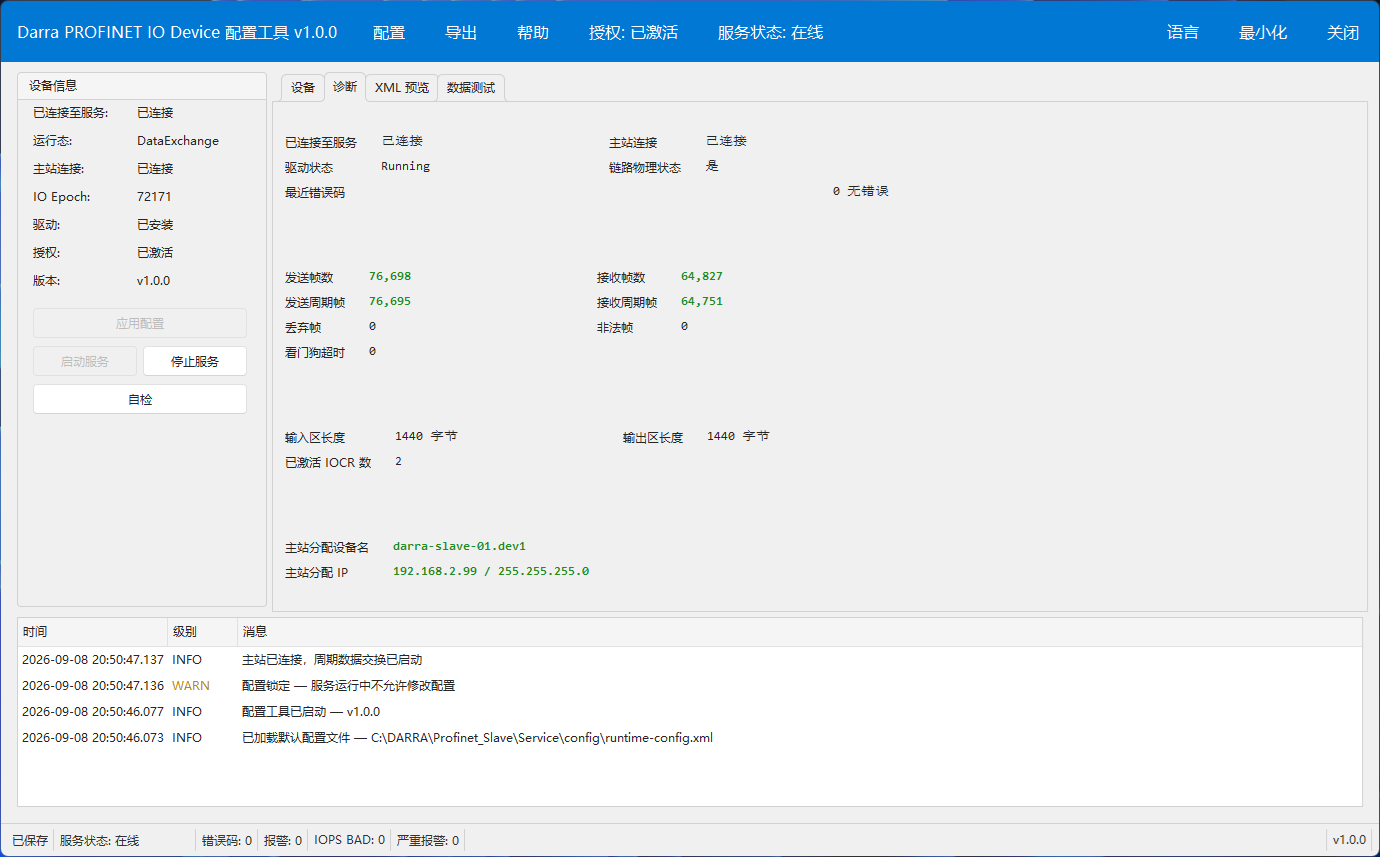
Check the system's operational ST:IO whether the controller is connected, the transmit/receive counts, the process area length,IO and the station name assigned by the controller IP.
诊断页
Data Testing
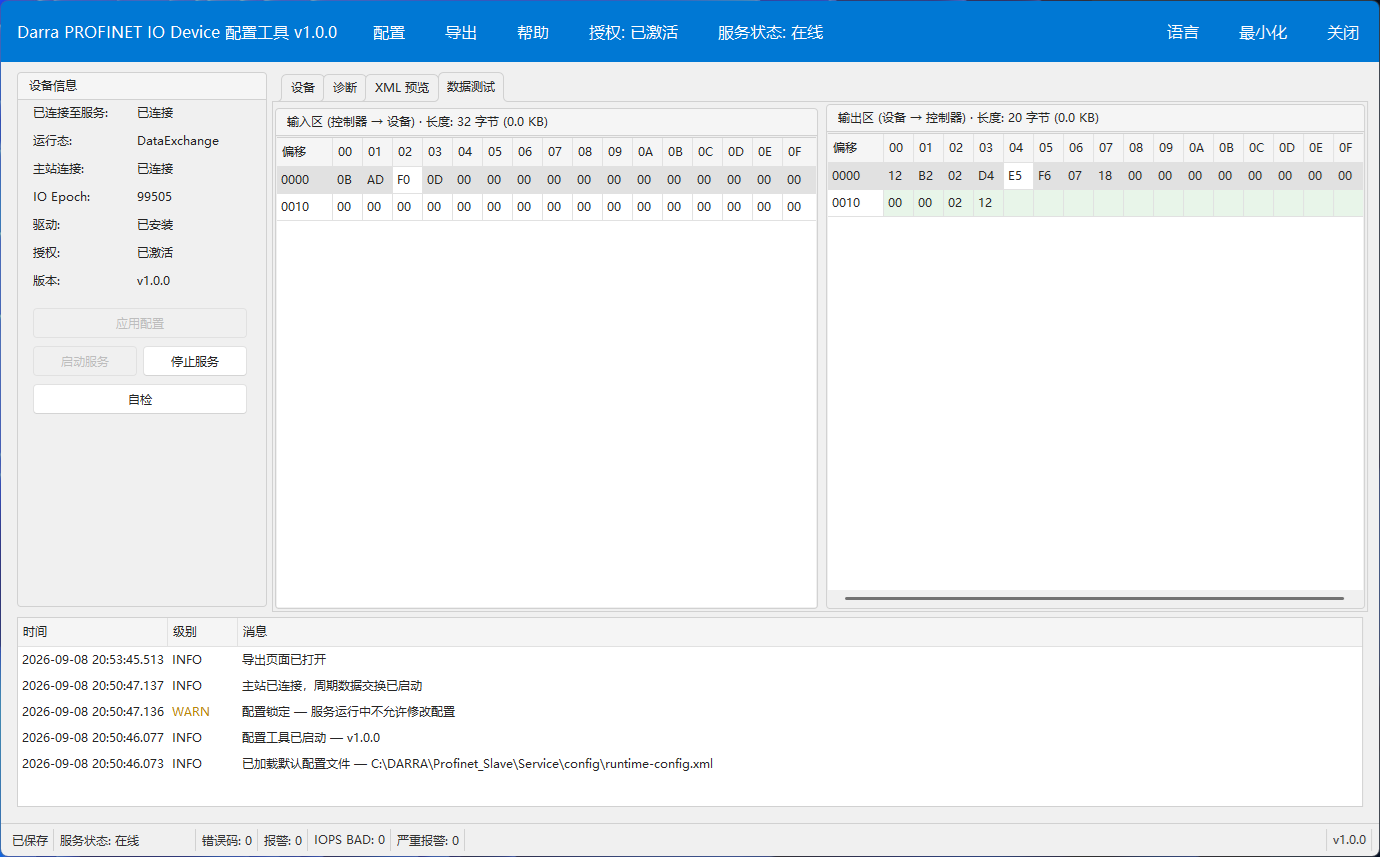
Hexadecimal process area. The left column is the input area (controller → device), and the right column is the output area (device → controller). The field program reads I and writes Q, with the direction matching that of these two columns.
数据测试
Save
Click "Configuration" in the top bar to save the project. Click "Apply Configuration" to apply the current settings. This option is unavailable while the project is RUN.
Export GSDML
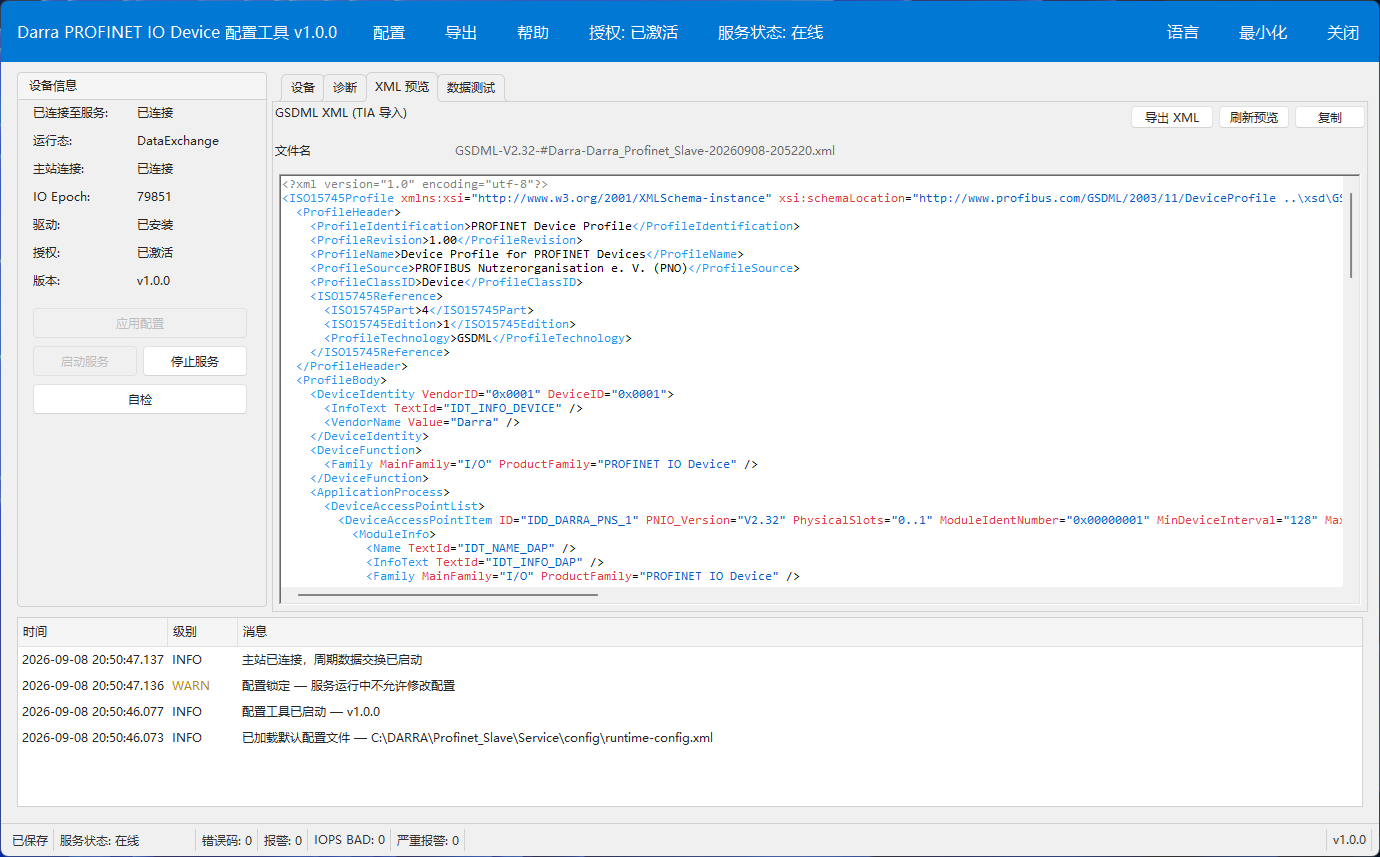
Click "Export" in the top menu bar, or "XML Export XML" on the "Preview" page. Write it as " TIA can be imported GSDML." "Refresh Preview" to compare with the current configuration.
XML 预览
After changing the input and output lengths, re-export and re-import the file TIA.
Export Program
The "Export" option in the top bar can also generate example code in C, C++, C#, Java, Python, and Rust.
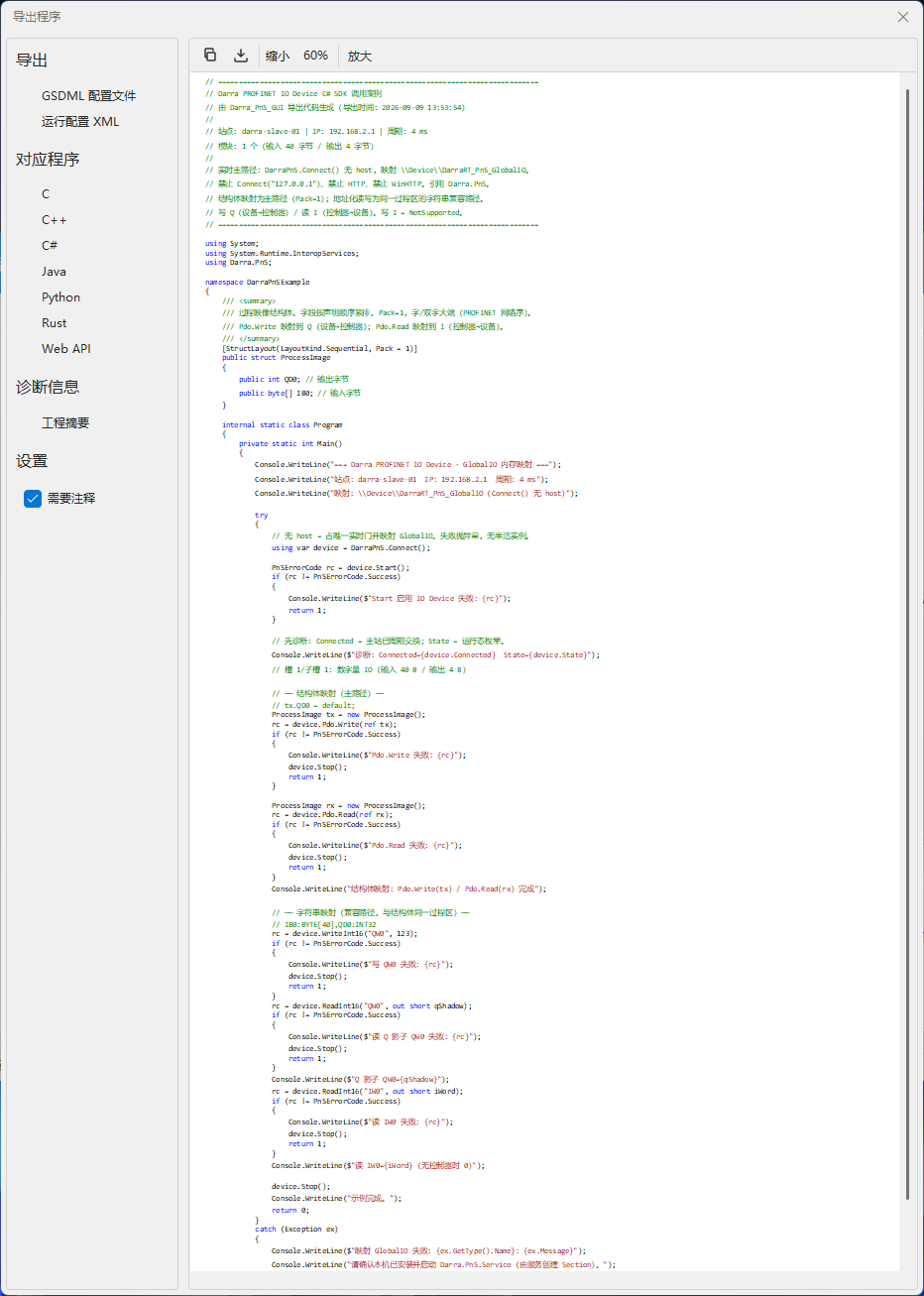
导出程序
Import TIA in
- "Options" → "Manage Files GSD " → Add Export GSDML
- Hardware Catalog: Other Field Equipment → Other Ethernet Devices → PROFINET IO → I/O → Darra → PROFINET IO Device → Darra Profinet Slave, dragged onto the internet
- Configure the station name, cycle time, and input/output lengths in the controller IO .
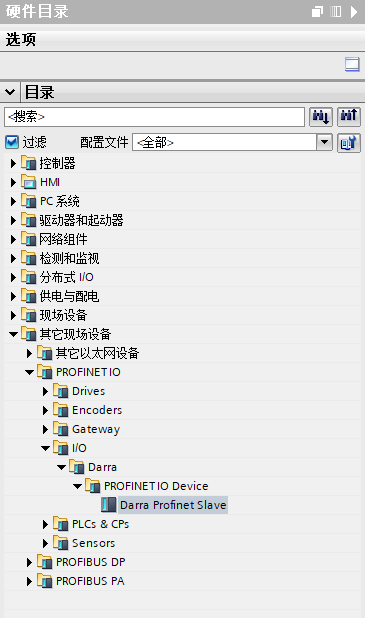
TIA 硬件目录
The site name must match the "Site Name" in the configuration tool.
configuration, upload, and Launch
configuration in [ TIA program], then upload it to the PLC. Once the upload is complete, click “Start Service” on the left side of the configuration tool. The controller and the device will exchange process data according to the configuration.