Preparation Before Use
Before using Darra Profinet Slave, complete the installation and prepare the GSDML needed for TIA.
System Requirements
| Project | Requirements |
|---|---|
| Operating System | Windows 10/11 x64 |
| Permissions | Administrator |
| Network Adapter | Standard Network Card |
| Engineering Software | TIA Portal V15+ |
Installation
Download the official installer from the download page and run it as administrator.
- Default Directory
C:\DARRA\Profinet_Slave - The configuration tools and SDK are all included in the package
- Uninstall = Run the same installer again and select "Uninstall"
Upgrade / Reinstall
If an older version is already installed on your computer, please follow these steps:
- Uninstall the old version: open Windows "Settings → Apps → Installed apps" and uninstall; you can also run the original installer again and choose Uninstall.
- Restart the computer. This step cannot be skipped.
- Install the new version: double-click the new installer and follow the prompts to finish.
- We recommend restarting the system once after installation to ensure everything runs smoothly.
Please save your project and configuration files before proceeding.
Preparation GSDML
GSDML is the device description used by TIA: what the station is called and how long the process data is. Without it, this device will not appear in the hardware catalog.
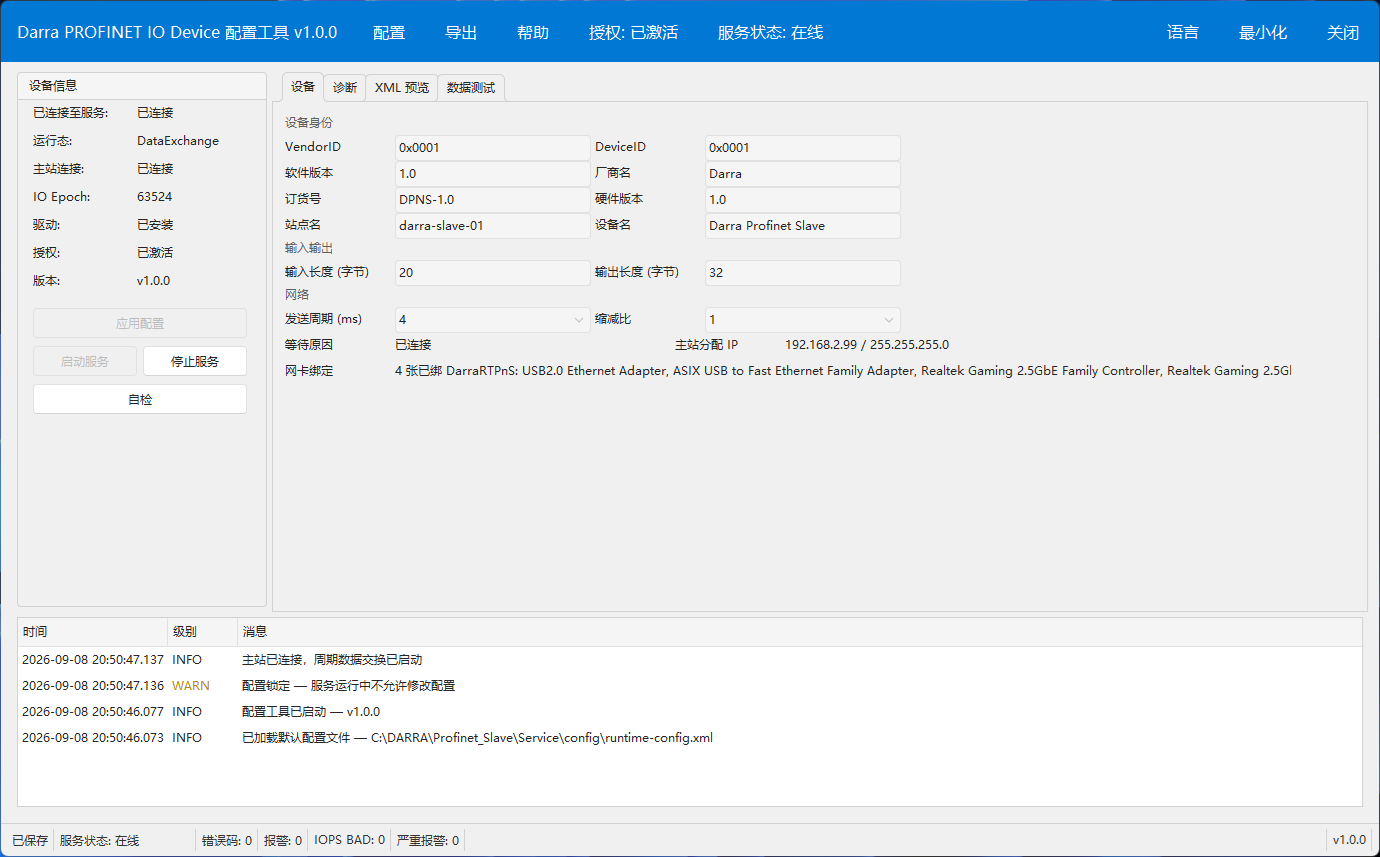
- Open as an administrator Darra PROFINET IO Device Configuration Tool
- The "Devices" page includes input and output lengths and network card binding
- Write "Export" in the top bar GSDML